v18.200.24 · 更新于:2026-05-19 08:41:11

在部落冲突国际版中,你可以和全球各地的玩家一起竞技,打造属于你自己的部落,不断强化防御设施。同时,你也要提升进攻技巧,这样才能更高效地掠夺资源。巧妙运用建筑布局和心理学策略,把敌人引诱到你设下的包围圈中,就能轻松取胜。
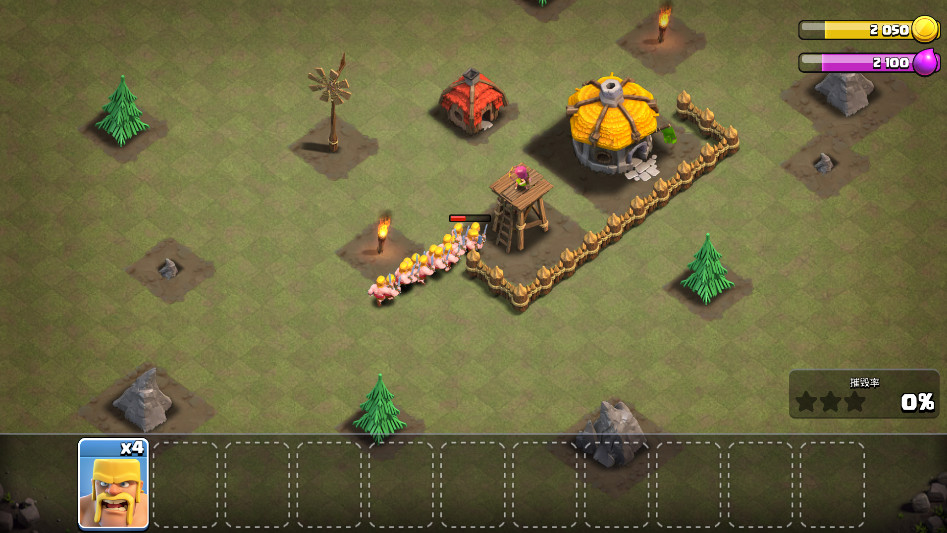
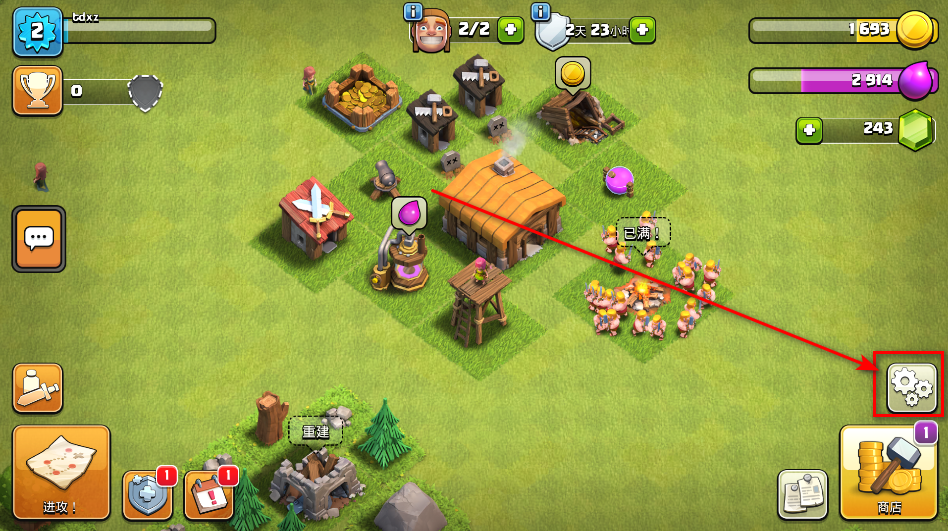
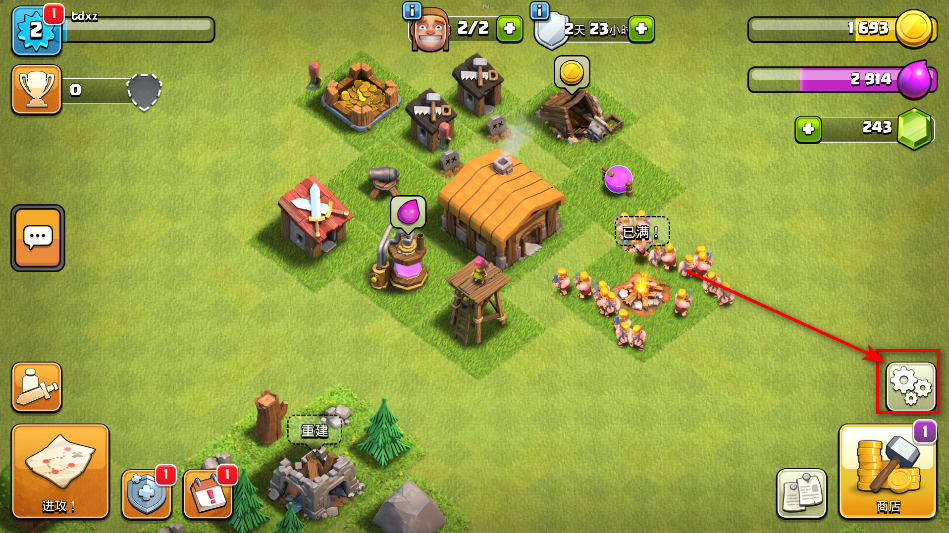
1.打开游戏后,先点击界面上的设置按钮;
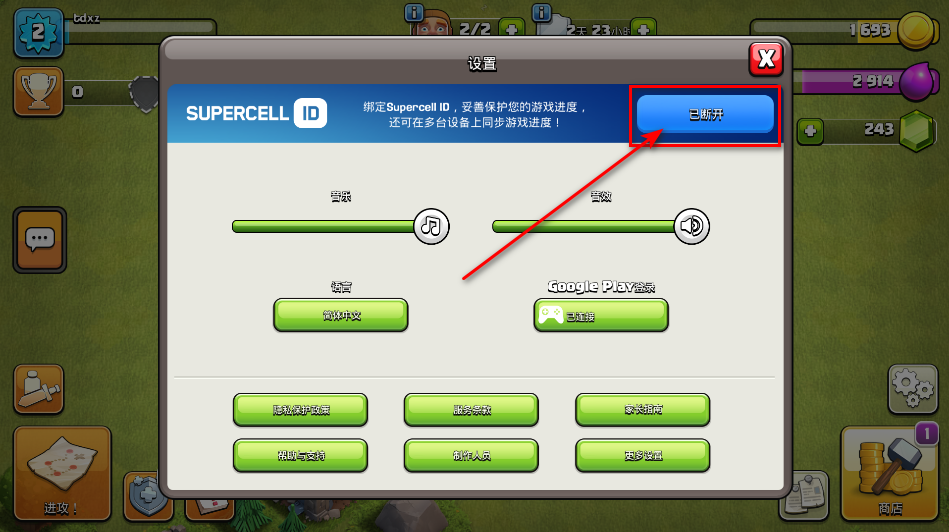
2.然后选择绑定Supercell ID;
3.接着点击注册选项;
4.再点击继续创建新ID;
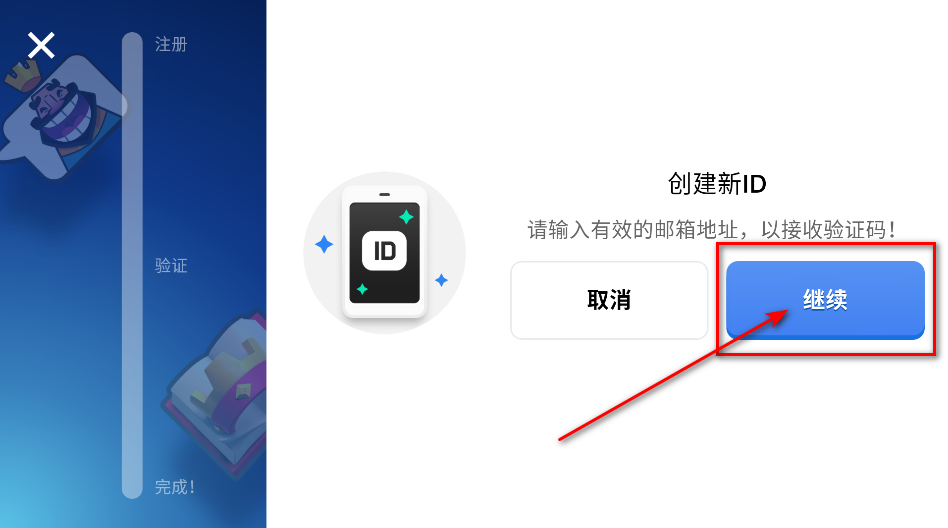
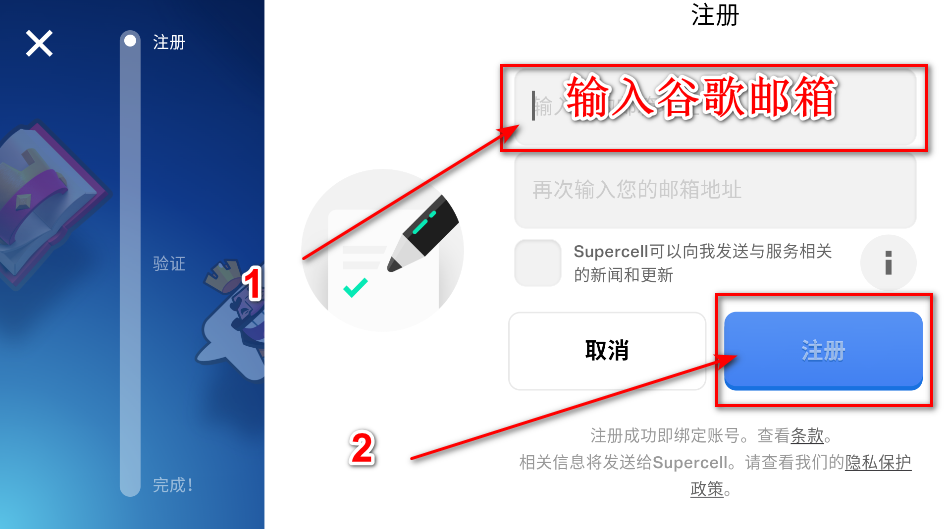
5.输入你的谷歌邮箱后,继续注册流程;
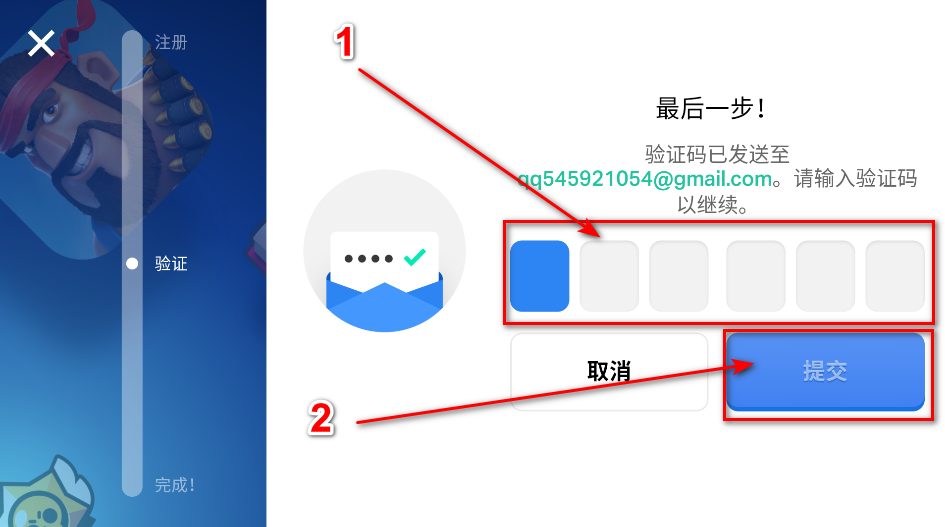
6.填写收到的验证码,然后提交;
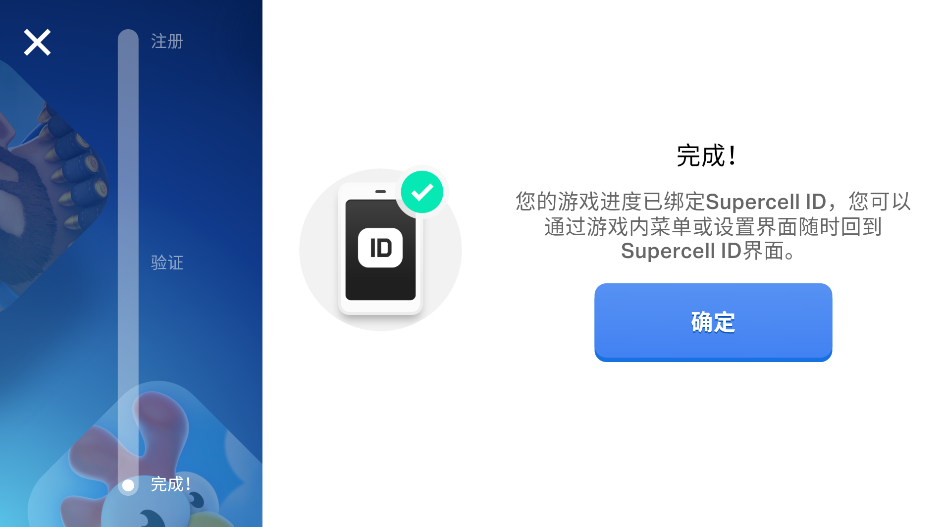
7.看到下图中的提示后,点击确定,绑定就完成了。
1.其实不需要找客服,你可以在游戏里直接操作。先进入游戏,点击设置按钮;
2.接着点击打开选项;
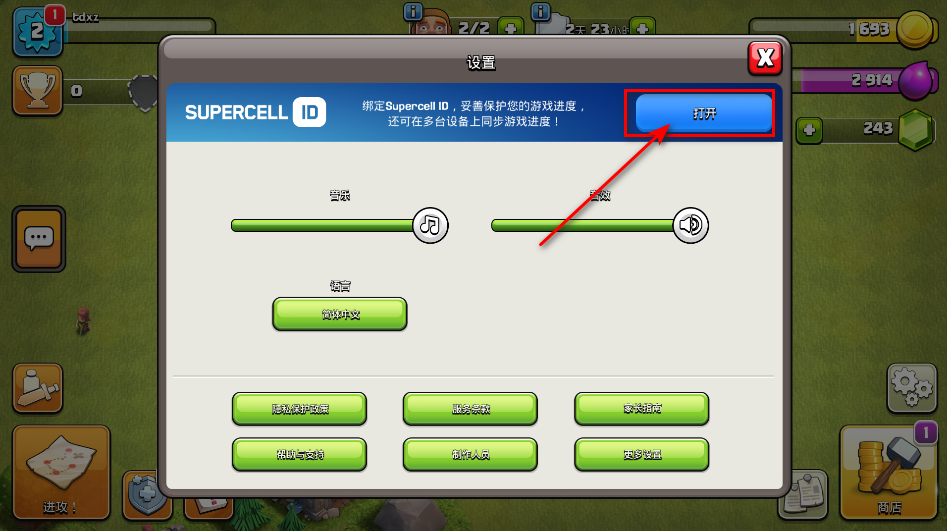
3.然后点击账号旁边的设置按钮;
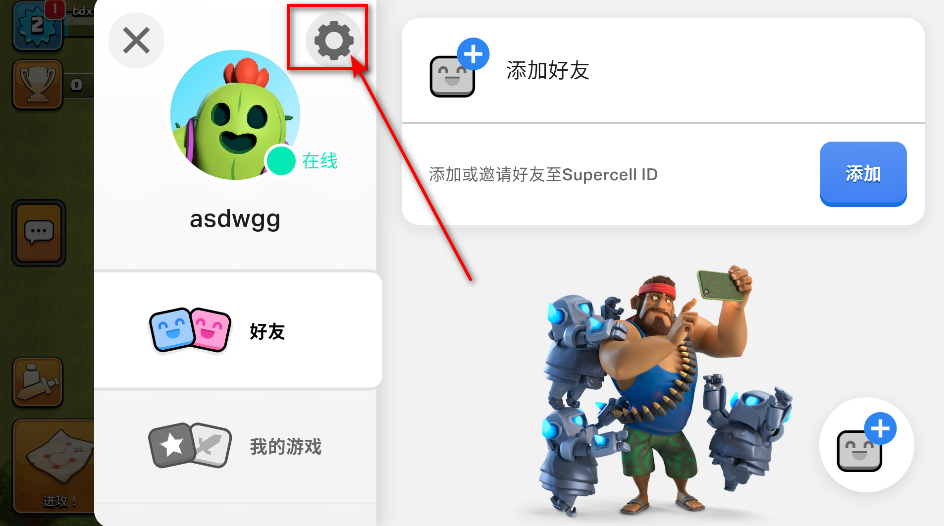
4.在右侧的菜单里,你可以看到更换邮箱的选项,直接点击它;
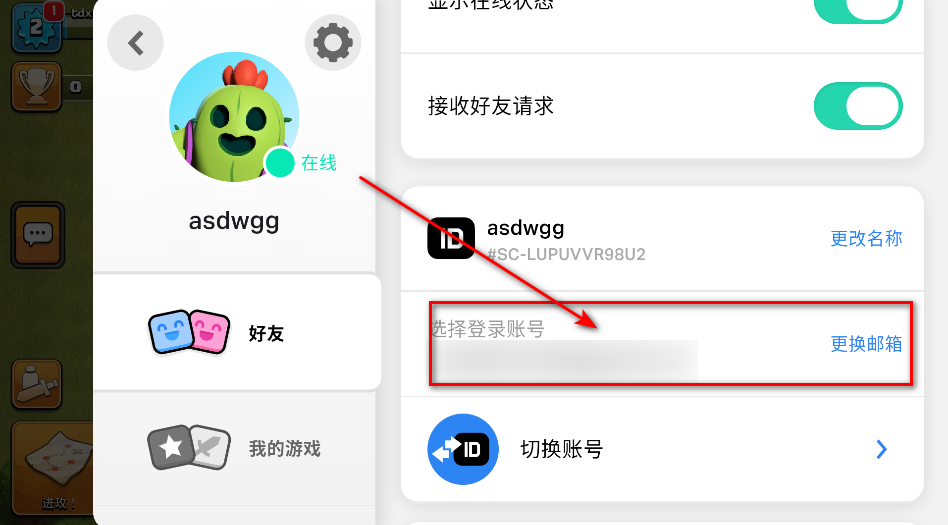
5.如果你的旧邮箱还能正常使用,就点击是;
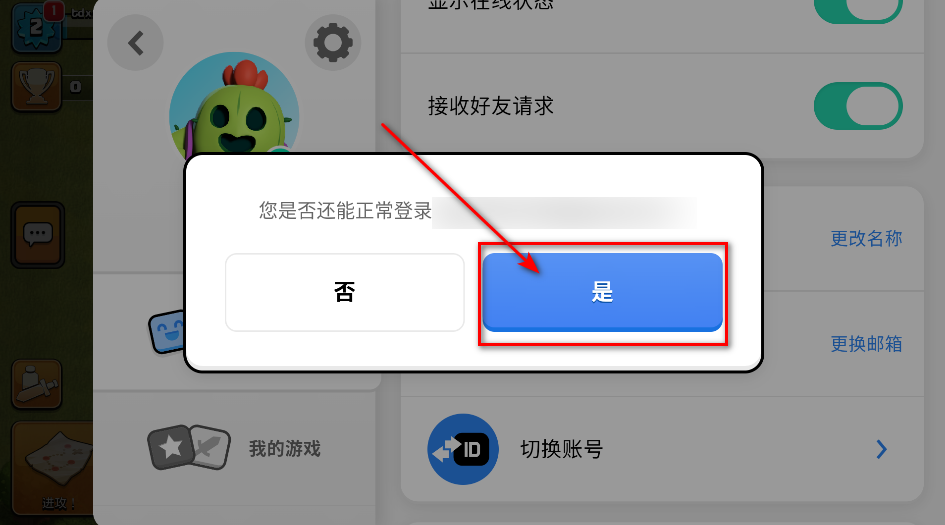
6.输入旧邮箱收到的验证码;
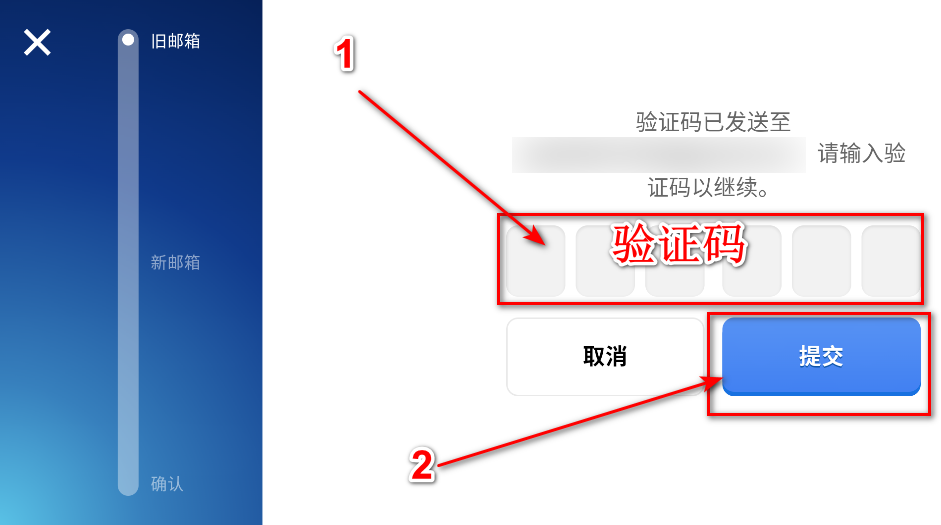
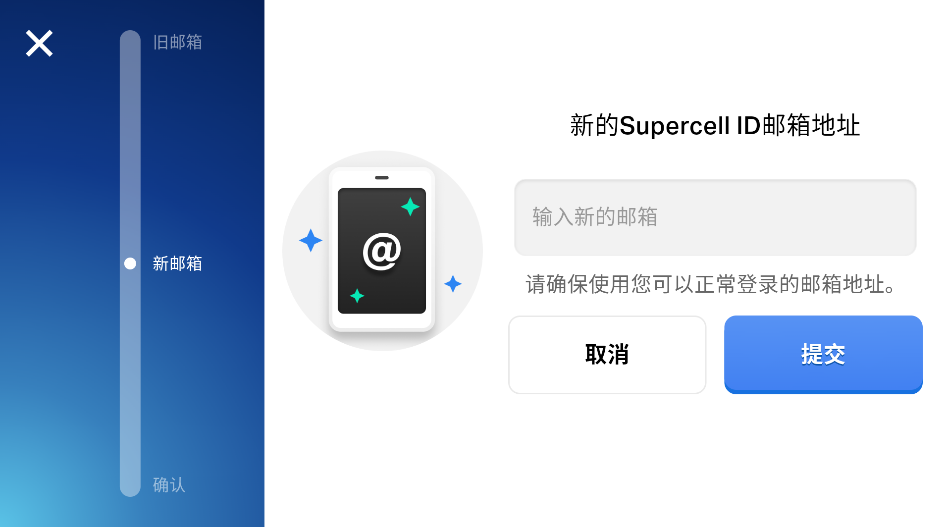
7.再填写新的邮箱地址,然后提交;
8.接着输入新邮箱里收到的验证码,再点击提交;
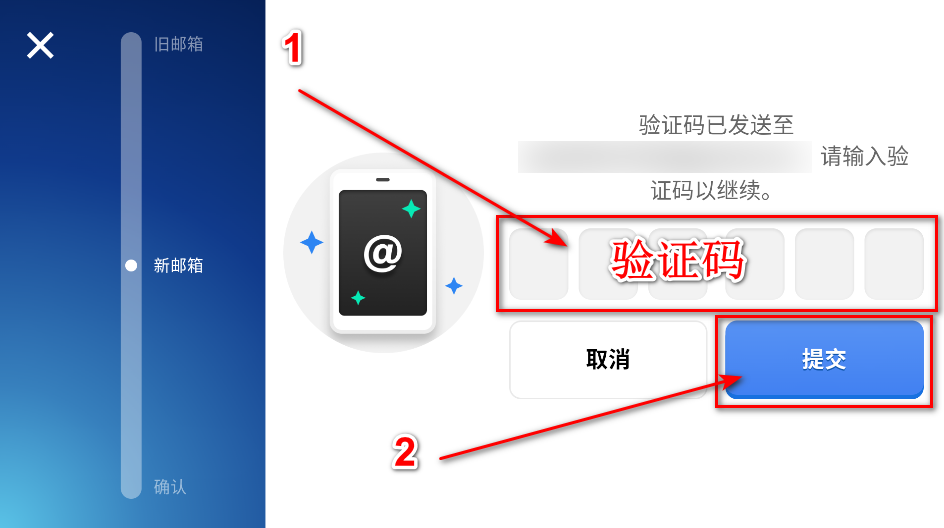
9.最后,换绑操作就顺利完成了。
1.先点击界面右侧的设置按钮;
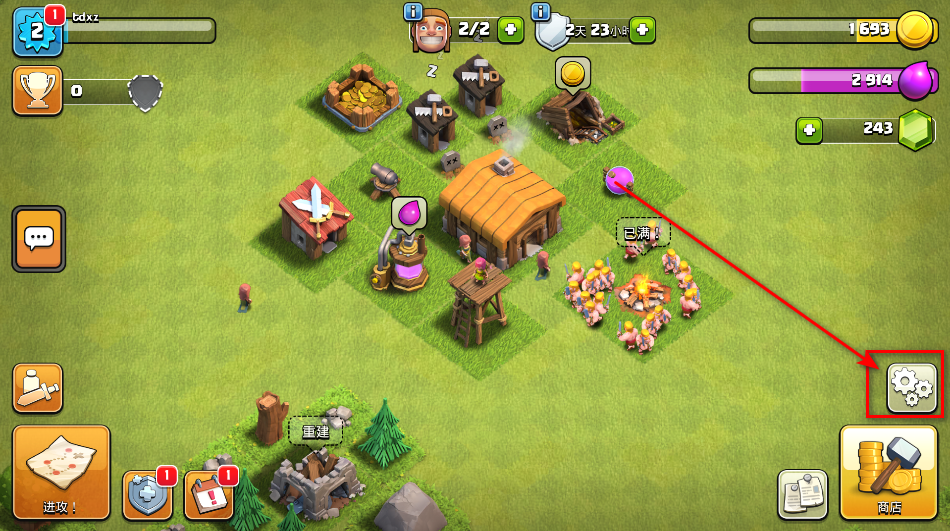
2.然后点击打开选项;
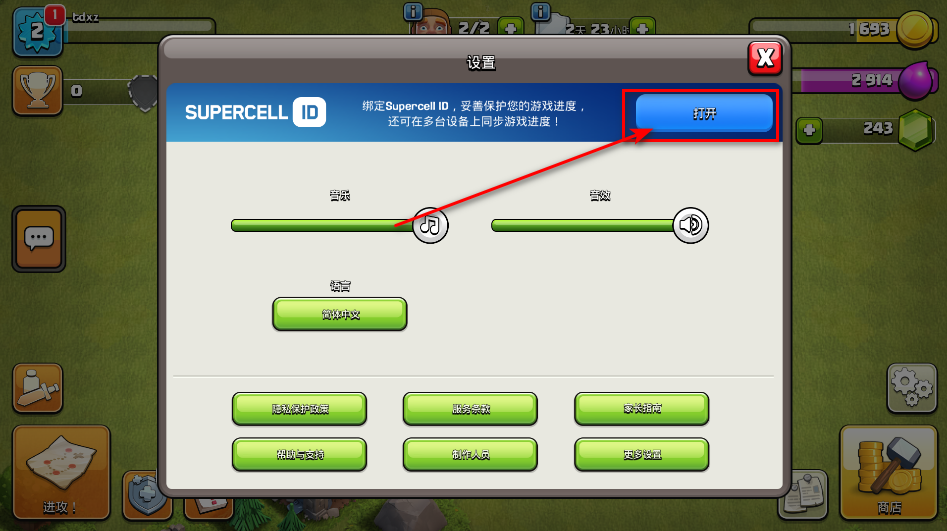
3.再点击设置按钮;
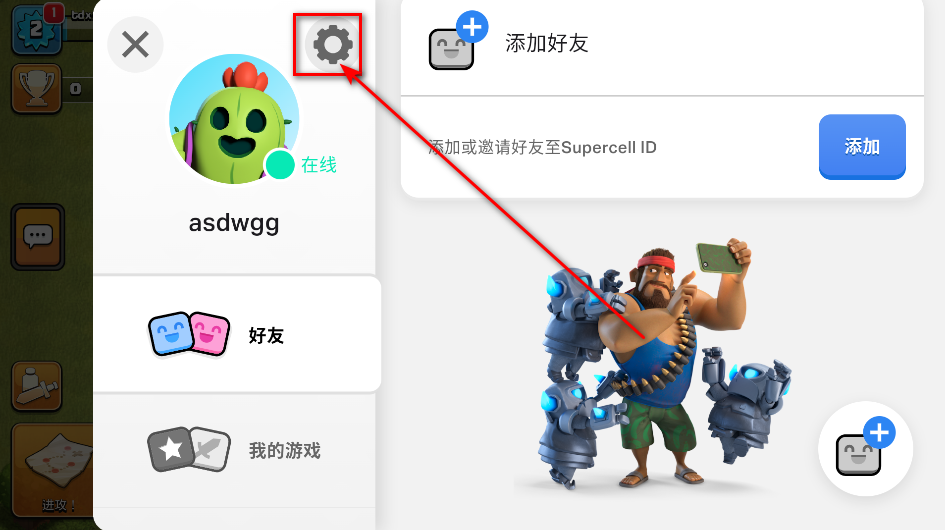
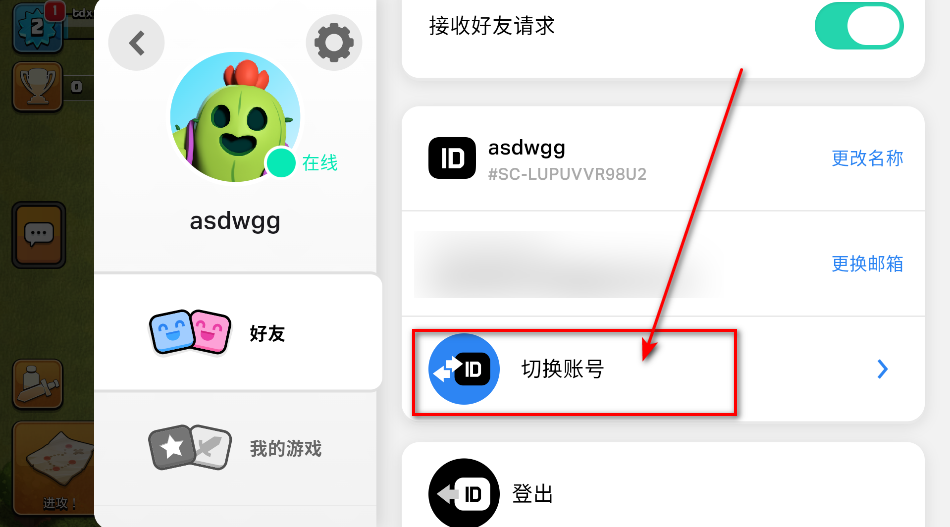
4.在右侧菜单向下滑动,找到切换账号并点击,就可以换成你想要的账号了。
 植物大战僵尸v0.499
大小:172.6 MB
查看详情
植物大战僵尸v0.499
大小:172.6 MB
查看详情
 我的世界b版本v1.16.201.01
大小:122.3 MB
查看详情
我的世界b版本v1.16.201.01
大小:122.3 MB
查看详情
 战与灵游戏v1.1.53
大小:15.5 MB
查看详情
战与灵游戏v1.1.53
大小:15.5 MB
查看详情
 封神召唤师v5.8.1
大小:844.9 MB
查看详情
封神召唤师v5.8.1
大小:844.9 MB
查看详情
 pvz2v11.9.1
大小:929.1 MB
查看详情
pvz2v11.9.1
大小:929.1 MB
查看详情
 卢希达起源v1.0.0
大小:1.17 GB
查看详情
卢希达起源v1.0.0
大小:1.17 GB
查看详情
 PVZv4.0
大小:619.0 MB
查看详情
PVZv4.0
大小:619.0 MB
查看详情
 捉妖小队0.1折版v1.0.0
大小:410.8 MB
查看详情
捉妖小队0.1折版v1.0.0
大小:410.8 MB
查看详情
 杀戮尖塔娘化modv1.0
大小:367.2 MB
查看详情
杀戮尖塔娘化modv1.0
大小:367.2 MB
查看详情
 莉莉丝游戏万国觉醒v1.1.12.20
大小:1959.8 MB
查看详情
莉莉丝游戏万国觉醒v1.1.12.20
大小:1959.8 MB
查看详情












最新评论